
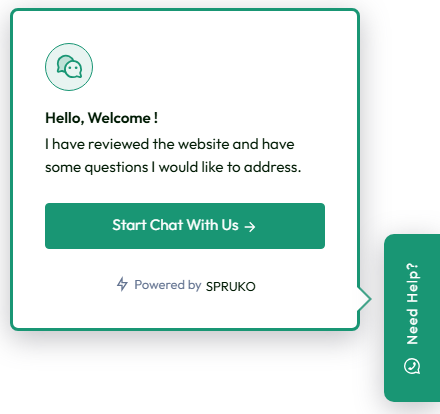
WhatsApp Widget Appearance
In WhatsDesk Support, you can customize the WhatsApp Widget to suit your branding and website design. You have the option to select the layout as horizontal or vertical, and choose between small or medium icons for the widget. Additionally, you can adjust the widget’s colors or upload a custom SVG to match your platform’s style, ensuring a seamless and personalized user experience.
WhatsApp Widget Integration
The WhatsApp Widget Integration feature provides an external script link that can be easily embedded into any website. This allows businesses to seamlessly integrate the WhatsApp widget, enabling customers to start a conversation directly through WhatsApp with just one click. The integration ensures a smooth and efficient customer support experience by providing instant access to assistance.
Canned Responses
The Canned Responses feature in WhatsDesk empowers users to create and store pre-written replies for frequently asked questions or common customer issues. By utilizing this feature, support agents can significantly reduce the time spent drafting repetitive responses. With Canned Responses, you can streamline your support process, providing faster, more accurate replies to your customers.

Roles Management
The Roles Management feature in WhatsDesk defines the level of access and control each employee has within the support system. Administrators can assign specific roles and tailor permissions based on employee responsibilities and requirements, ensuring they have the necessary tools to perform tasks effectively while minimizing unauthorized access.

Payment Gateways
The Payment Gateways feature in WhatsDesk enables businesses to receive payments seamlessly through invoice links sent to customers' WhatsApp. Supporting PayPal and Stripe, businesses can choose the gateway that best suits their needs. Once integrated, WhatsDesk generates a custom invoice and sends it directly to the customer via WhatsApp.
Custom Invoices
The Custom Invoices feature in WhatsDesk allows businesses to manually create personalized invoices within the application. Once created, these invoices can be assigned to individual customers or linked to specific tickets raised by customers through WhatsApp. This functionality ensures that each invoice is tailored to the specific query, providing an organized approach to payment requests.

Envato License Verification
WhatsDesk Support includes an Envato License Verification feature that allows you to verify the authenticity of a purchased license by entering the purchase code. Upon verification, the system provides detailed information, including the client name, date of purchase, license type, and expiration date. This ensures that the license is valid and helps businesses manage their software licenses efficiently.
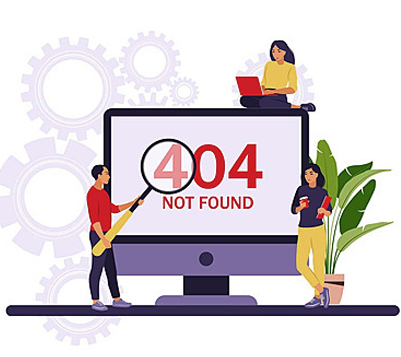
Custom Error Pages
WhatsDesk Support allows agents to design a Custom 404 Error Page. This feature enables businesses to create a personalized, branded error page that is displayed when users encounter a "Page Not Found" error. Customizing the 404 page ensures a seamless and professional user experience, even when an error occurs, maintaining consistency with the platform's overall design.

Multi-Language Support
WhatsDesk offers Multi-Language Support, allowing businesses to add and enable multiple languages within the application. The users can interact with the platform in their preferred language, providing a more personalized experience for customers and agents alike. By supporting multiple languages, WhatsDesk Support helps businesses cater to a global audience and enhance user satisfaction.

Reports
WhatsDesk Support provides comprehensive Reports that give businesses valuable insights into their operations. The reporting system includes a bar graph and doughnut chart to display the count of new, active, and in-progress tickets, as well as the total number of tickets. It also provides detailed reports on employee performance, including employee count, activity reports, and employee ratings.
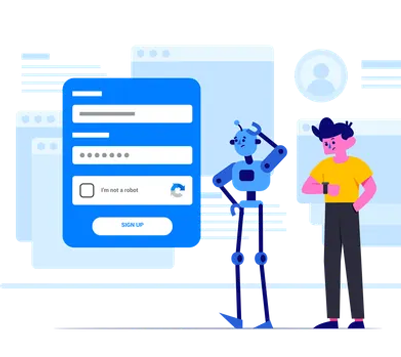
Google ReCaptcha / Manual Captcha
WhatsDesk Support incorporates Captcha as a key security feature to distinguish between human users and bots. The platform offers both manual captcha and Google reCAPTCHA options, providing an additional layer of protection against automated attacks. These features help prevent bots from accessing the system, ensuring that only legitimate users can interact with the platform.

Custom CSS & JS
WhatsDesk Support offers the flexibility to customize the application's styles and JavaScript using custom CSS and JS. This feature enables users to override the default theme styles, allowing for a personalized user interface that aligns with specific business requirements and preferences. By tailoring the look and functionality of the application, businesses can ensure a more seamless and intuitive user experience.

SMTP Email Settings
WhatsDesk Support allows administrators to configure SMTP Email Settings to ensure reliable email communication. To set up SMTP, the following details must be provided: mail host, password, port, mail encryption, from name, and from email. These settings ensure that emails sent from the platform are properly routed, secure, and delivered efficiently, facilitating seamless communication with customers and team members.
Admin Country Restrictions
The Admin Country Restrictions feature in WhatsDesk Support allows administrators to control access to the platform based on geographical location. By whitelisting specific countries, this feature ensures that only users from authorized regions can access the application. This adds an additional layer of security, preventing unauthorized access from regions that may pose a higher security risk.

DoS Protection
WhatsDesk Support includes DoS (Denial of Service) protection mechanisms to safeguard the platform against flood attacks and service interruptions. By monitoring unusual traffic patterns and limiting repeated requests from the same IP address, WhatsDesk helps ensure system availability and performance even under potential attack scenarios.

Customer Violation Flag
In WhatsDesk Support, employees/agents can add violation notes to a customer's ticket if a customer violates rules. When a violation note is added, the customer is flagged for that particular issue. This feature helps agents keep track of any misconduct or policy breaches, ensuring that appropriate actions are taken and documented for future reference.
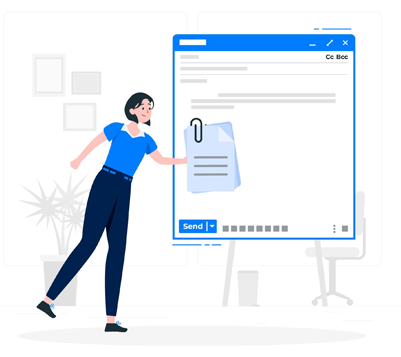
File Attachment Settings
WhatsDesk Support provides configurable File Attachment Settings for both customers and employees. Administrators can set restrictions on the maximum number of files that can be uploaded, the maximum file size limit, and the allowed file types for uploads. These settings ensure that file uploads are managed efficiently, providing control over the types and sizes of files exchanged between customers and support agents.

Feedback Dispatch Settings
WhatsDesk Support includes Feedback Dispatch Settings, which allow administrators to configure and send feedback requests to customers through WhatsApp. This feature provides customizable options for collecting customer feedback. With the feedback settings enabled, administrators can ensure that customers are prompted to share their experiences, leading to continuous improvement in service quality.
WebSocket / Pusher Settings
WhatsDesk Support utilizes WebSocket for real-time, two-way communication between the client and the server. This ensures that all updates and messages are instantly transmitted between users and agents, enabling efficient and seamless interactions. WebSocket provides a persistent connection, which facilitates immediate, live communication and improves the responsiveness of the platform.
Two-Factor Authentication (2FA)
Two-factor authentication (2FA) in WhatsDesk Support adds an extra layer of security by requiring users to provide both their password and a unique verification code generated from their registered device during login. WhatsDesk Support significantly enhances account security, reducing the risk of unauthorized access and protecting sensitive data from potential threats.
New Device Login Alerts
The New Device Login Alerts feature in WhatsDesk Support notifies administrators via email whenever an account is accessed from a new device. This added security measure ensures that administrators are promptly informed of any login attempts from unfamiliar devices, allowing them to monitor and verify access. This feature is specifically designed for admin panel users.
Login Lockout on Invalid Attempts
WhatsDesk Support features a Login Lockout mechanism that temporarily locks user accounts after a set number of invalid login attempts. This security measure helps prevent brute-force attacks and unauthorized access by blocking further login attempts for a specified period. It enhances the overall protection of user accounts and sensitive data within the platform.

Assign
In WhatsDesk Support, tickets can be assigned to other agents or employees for efficient task distribution. Agents also have the option to assign tickets to themselves, allowing them to manage their workload effectively. This flexibility streamlines the support process and ensures that each ticket is handled promptly by the appropriate team member, improving overall efficiency and customer satisfaction.
Force SSL
Force SSL, also known as HTTPS redirection, is a crucial security feature in WhatsDesk Support that automatically redirects website traffic from the unsecured HTTP protocol to the secure HTTPS protocol. This ensures that all data transmitted between the web server and the client is encrypted, protecting sensitive information such as login credentials, personal details, and payment data.

Email Templates
In WhatsDesk Support, the Email Templates feature automates communication with agents. These pre-configured templates send notification emails to agents handling customer queries, ensuring they are promptly informed of updates. Templates are also used for ticket replies, ticket assignings, two-factor authentication notifications, new login alerts, password reset instructions, and more. By utilizing Email Templates, businesses can ensure consistent, professional communication across all touchpoints.

Employee Ratings
A rating system in WhatsDesk Support is a method used to assess the quality, performance, and effectiveness of the services provided, based on predefined criteria. This system can take various forms, such as customer reviews or star ratings or feedback, and serves as a valuable tool for collecting feedback and guiding decision-making for admins. Additionally, feedback is displayed for specific tickets, allowing businesses to track customer satisfaction for each individual interaction.
Domain Transfer
Effortlessly transfer your application from one domain to another using the Domain Transfer feature in WhatsDesk Support. This tool allows you to download all necessary files and database assets, while generating a unique Migration Token for secure authorization. With just a few simple steps, you can ensure a smooth and secure migration process. Upon activation of the new domain, the previous domain’s license is automatically revoked, ensuring that the transition is seamless and without interruptions.
Security Controls
Activate the Right-Click Protection and Text Selection Prevention features in WhatsDesk Support to enhance security and prevent unauthorized actions. These settings block the right-click context menu and restrict text selection, safeguarding sensitive content from unintended manipulation or extraction. By implementing these measures, you maintain greater control over sensitive information, reducing the risk of unauthorized data replication.
Reply Read Receipts
In WhatsDesk Support, Reply Read Receipts allow you to track when a customer or agent has read a ticket or announcement. This feature provides visibility into whether a message has been seen, ensuring that important communications are acknowledged and addressed promptly. By enabling read receipts, businesses can ensure that no customer query or announcement goes unnoticed, improving response times and overall service quality.